
Documentation done
before you leave the site.
ECAP documents electrical installations to IEC 60364 — and now the network and automation inside them too. Circuit schedules, single-line diagrams, network and IO lists, maps and finished PDF reports, structured and offline.
Android: download the APK directly · iPhone, iPad, Android and web · Made in Norway
Everything the installation needs — in one place
Site → building → room → board → circuit → component. What you register becomes finished documentation with one tap — for the electrician, the automation technician and whoever runs the network.
Quick circuitNEW
Register circuits at the board with big buttons: board, breaker, phase and RCD are remembered, the number is automatic, and "Save and next" keeps you going.
Circuit schedule
Amps, curve, cross-section, cable, RCD and labelling. Number taken? ECAP swaps places instead of stopping you.
Single-line and risers
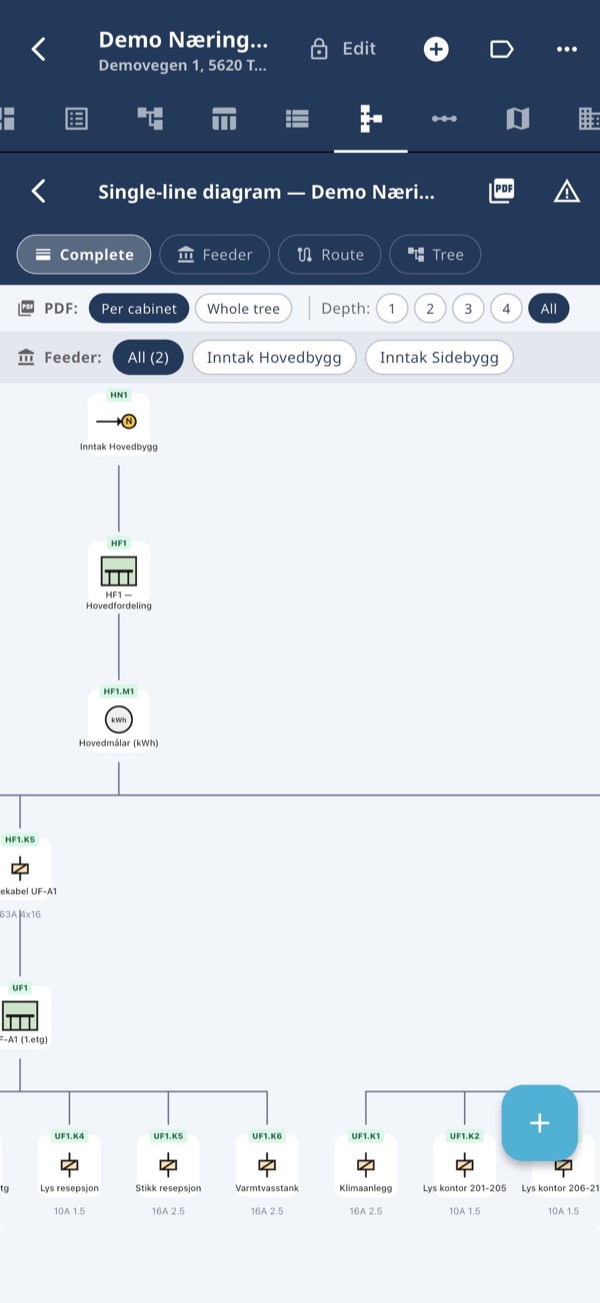
Single-line diagrams with IEC symbols — complete, per branch or riser per floor. Large installations are split over several A3 pages.
NetworkNEW
Routers, switches, cameras and outlets with ports. Topology, port list per switch and patch list with cable labels — straight from the components.
Signal and IONEW
IO list per module with IEC 81346 address (-KF1-KF2:DI3), function and conductor colours. Templates for ADAM, Moxa, PoE switches and more.
PDF reports
Handover with circuit schedule, single-line, compliance check, network and IO list — plus QR labels for the board.
Labelling and QR
IEC 81346 or the physical labels on the board. The QR label opens the right unit in the app.
Compliance check
Warns about undersized cables and wrong protection — without stopping your work. The standard is chosen per installation.
Scan the circuit schedule
Take a photo of an existing circuit schedule and the circuits are read in.
See it in action
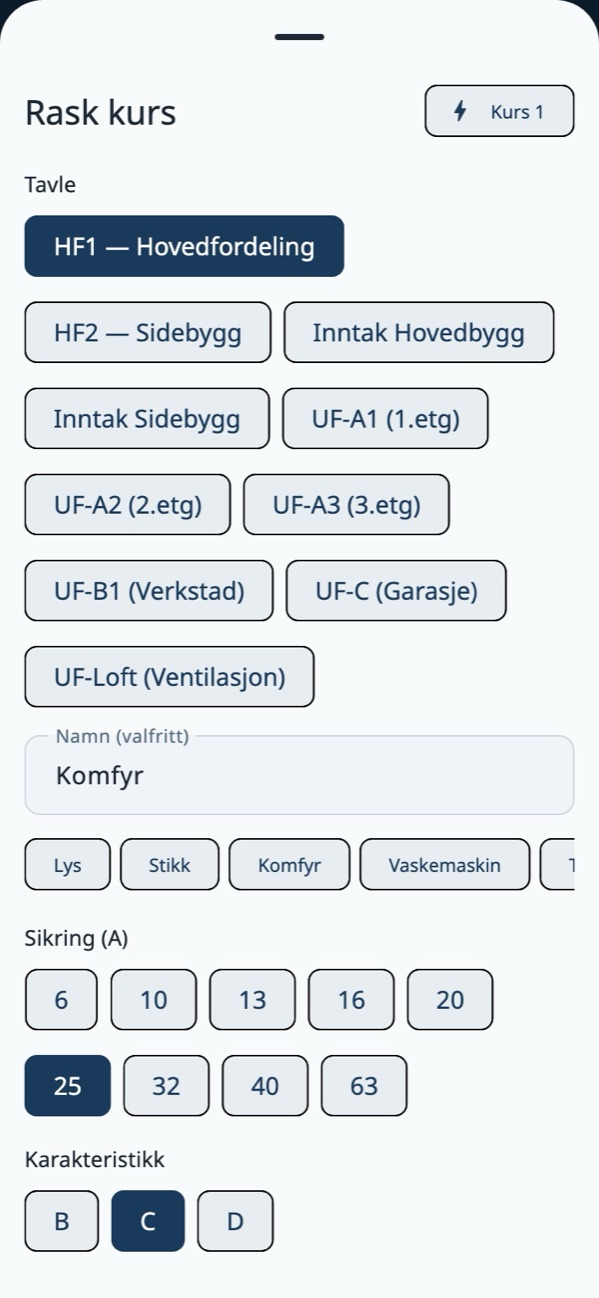
Quick circuit at the board
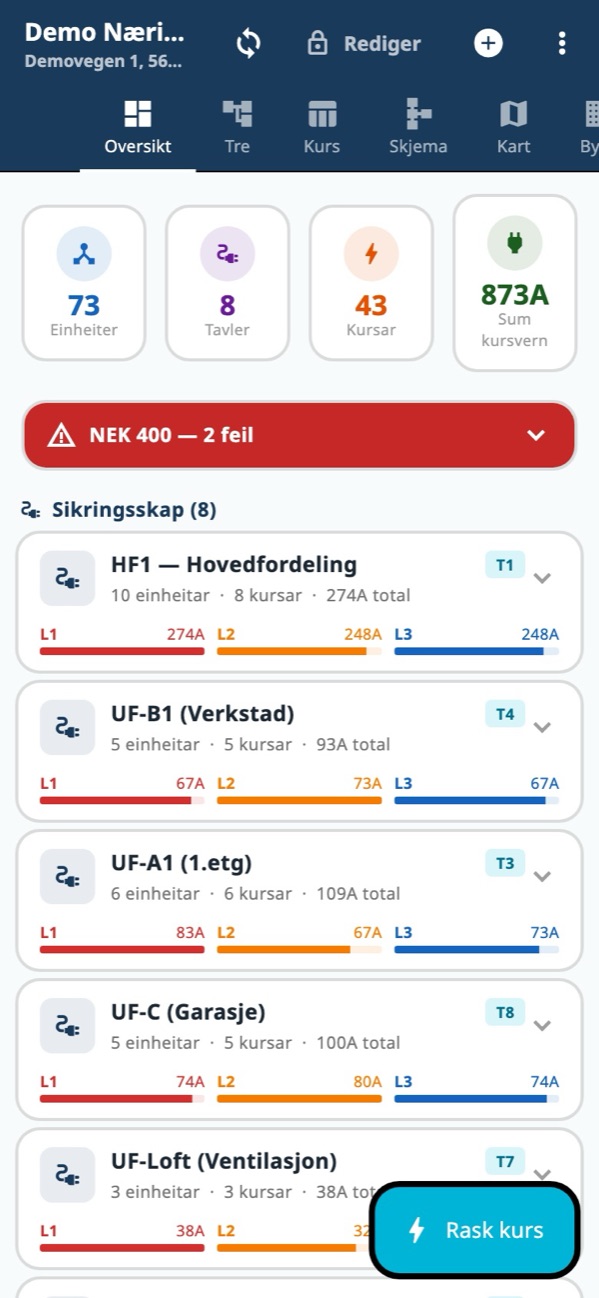
Overview with compliance check
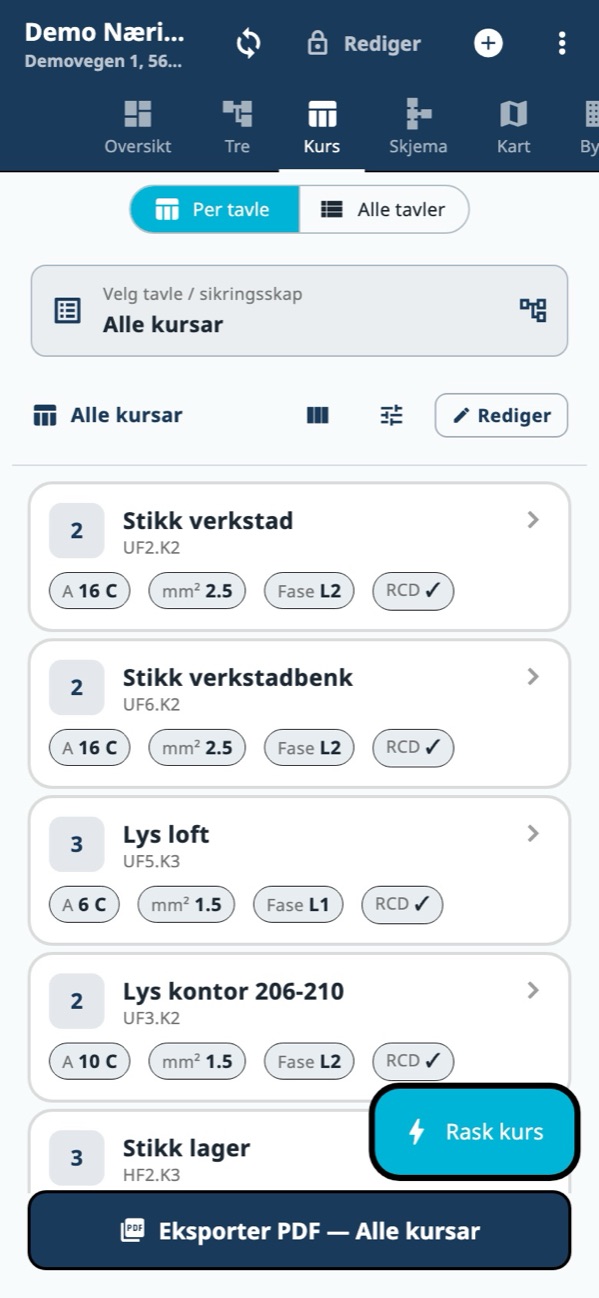
Circuit schedule
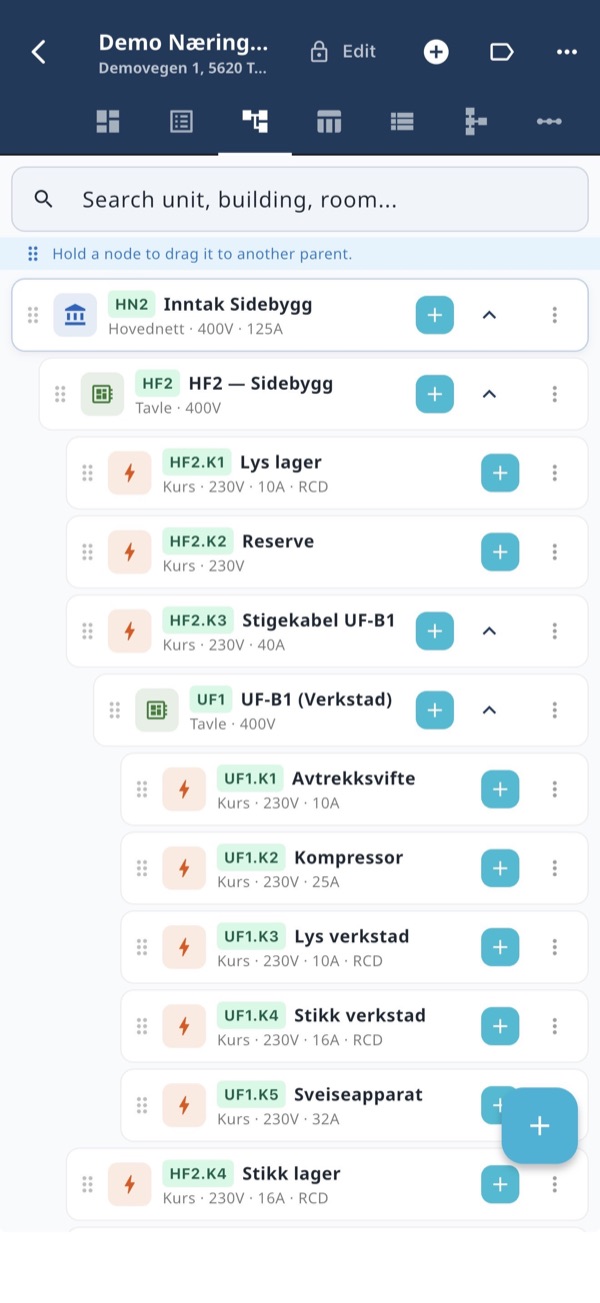
Single-line diagram
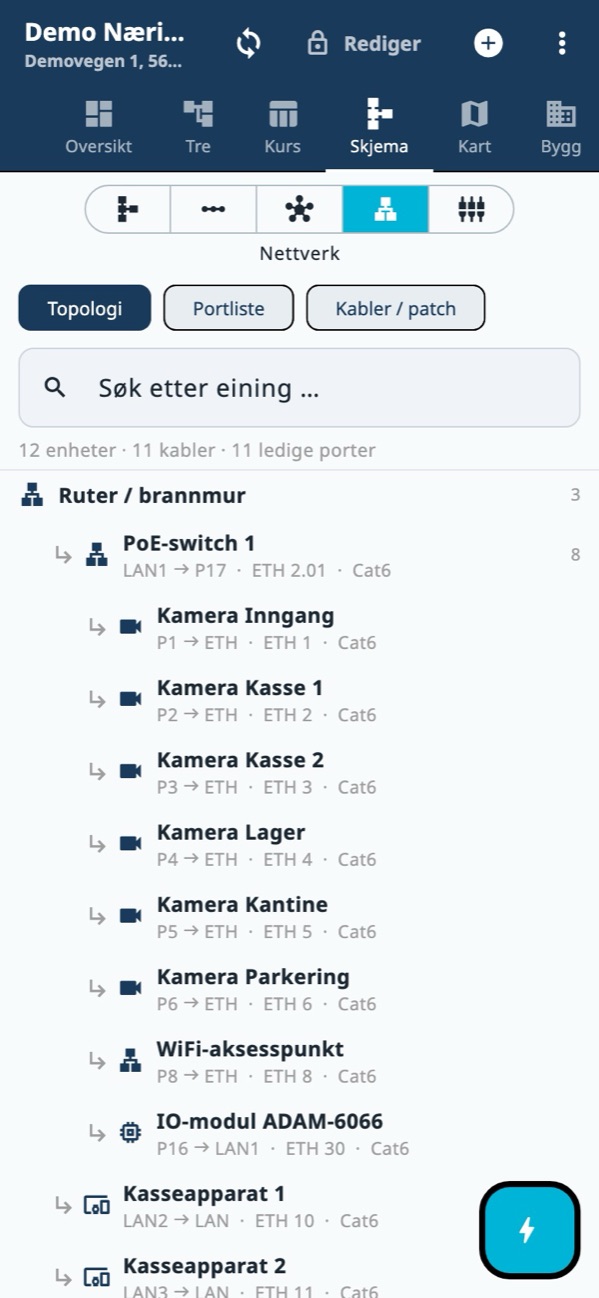
Network: topology with ports and cable labels
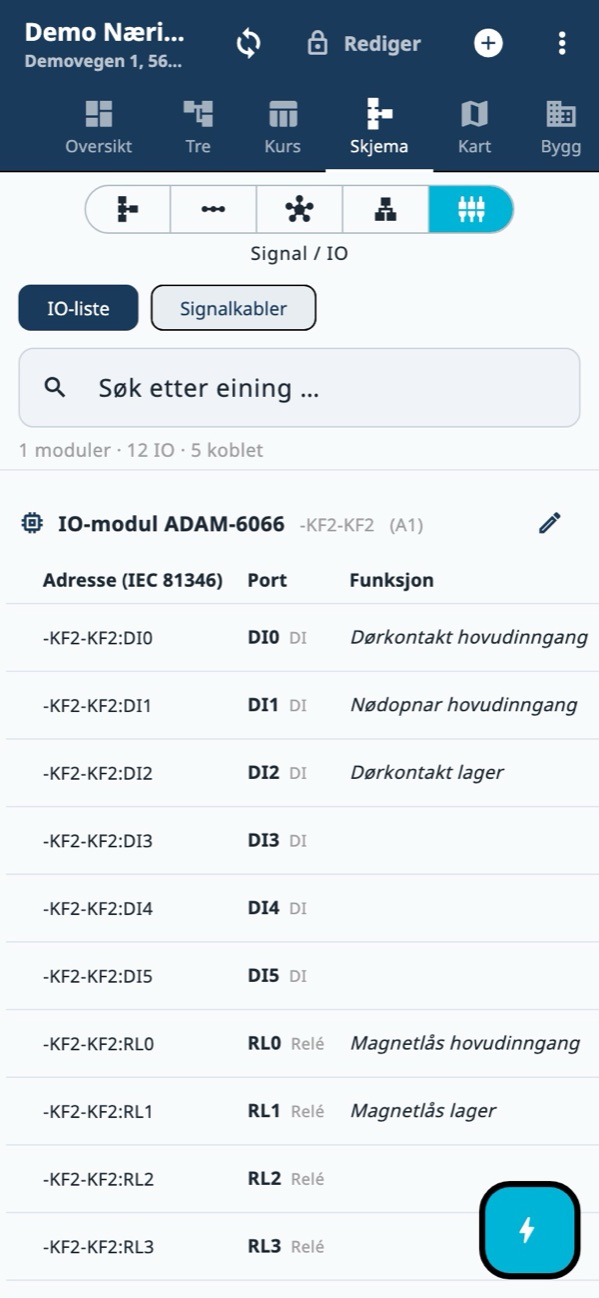
IO list with IEC 81346 address
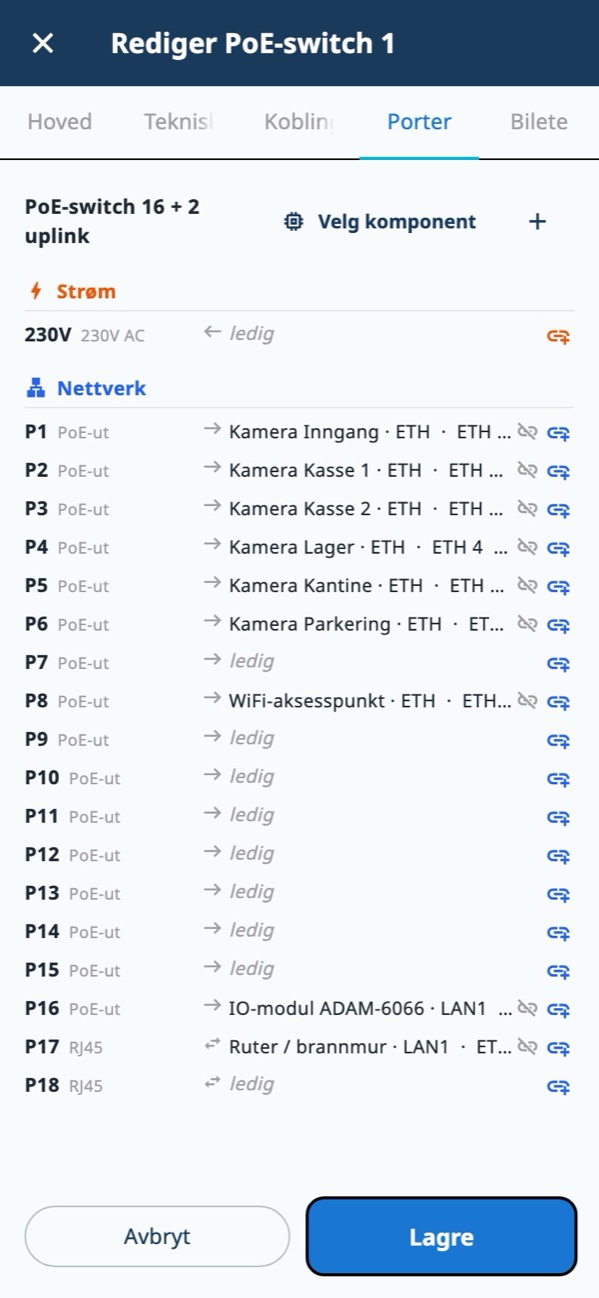
Component card: the ports of a PoE switch
Finished reports
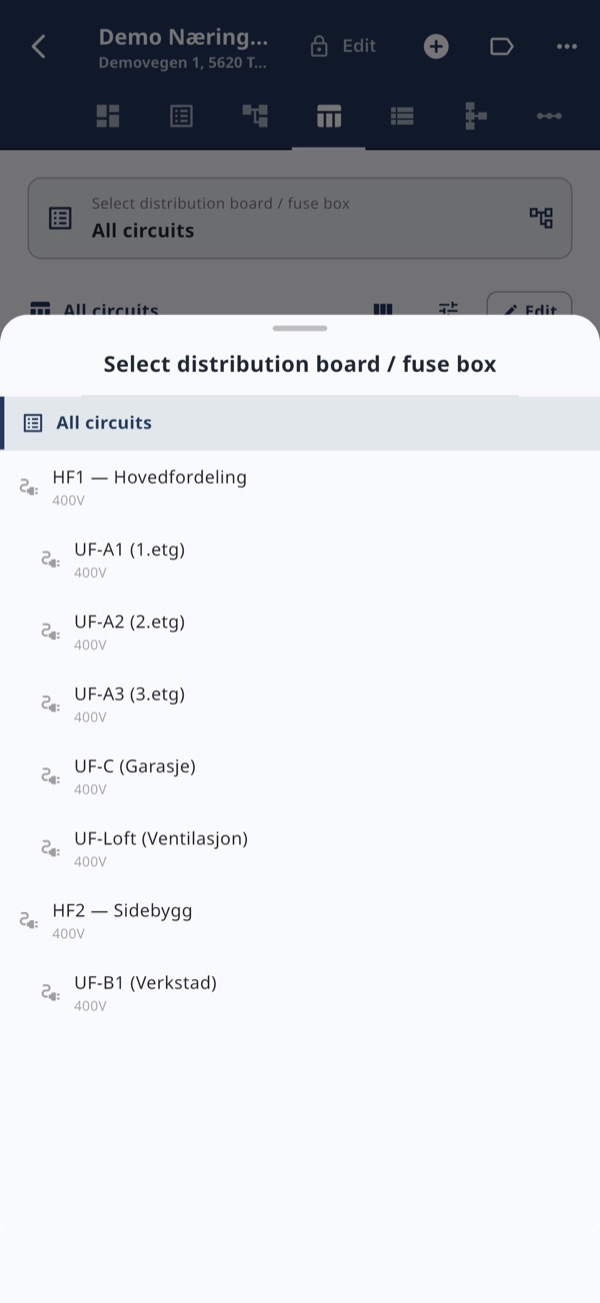
Installations on a map
From board to finished report
Three steps — ECAP does the rest.
Register the installation
Buildings, rooms, boards, circuits and components — scan a circuit schedule or import from file, without duplicates.
ECAP keeps order
Labelling, phase balance and compliance check. Ports and connections keep network and IO together with the electrical installation.
Deliver the documentation
A finished PDF with circuit schedule, single-line, network and IO list, plus QR labels — ready for the customer.
Get started
Try it on your next job
Create an account and add your first installation. Share with colleagues, or work together as a company with roles.